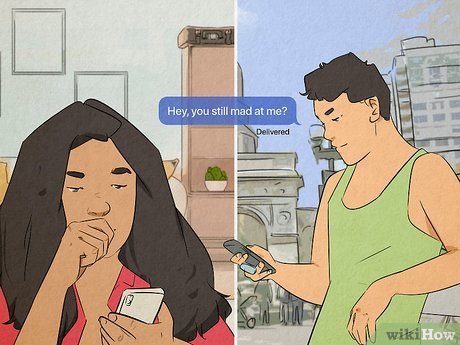
When you unblock someone on iPhone, they can once again message you, call you, and view your profile. It’s like reopening a doorway that was previously shut. Unblocking someone can bring about mixed emotions and uncertainties. Understanding the implications of this action is crucial in managing your digital interactions effectively. Let’s delve into what happens when you unblock someone on iPhone and explore the dynamics of reestablishing a connection in the virtual realm.

When You Unblock Someone on iPhone: What Happens?
Welcome to our comprehensive guide on what happens when you unblock someone on your iPhone. If you’ve ever wondered about the implications of unblocking someone on your device, you’ve come to the right place. In this article, we will delve into the intricacies of unblocking a contact, exploring the impact it has on various aspects of your iPhone experience.
Understanding Blocking and Unblocking on iPhone
Before we dive into the details of what happens when you unblock someone on your iPhone, let’s first clarify what blocking and unblocking mean in the context of your device. When you block a contact on your iPhone, you essentially restrict that person from being able to communicate with you through calls, messages, or other means.
However, there may come a time when you decide to give someone a second chance or simply want to resume communication with a previously blocked contact. In such cases, you would need to unblock the person to reestablish communication. But what exactly happens when you unblock someone on your iPhone? Let’s find out!
The Process of Unblocking a Contact
When you unblock someone on your iPhone, the process is relatively straightforward. Here’s a step-by-step guide on how to unblock a contact:
Step 1: Accessing the Settings
Begin by navigating to the Settings app on your iPhone. The Settings icon looks like a gear and is typically located on your home screen.
Step 2: Selecting Messages or Phone Settings
Depending on whether you blocked the contact from messages or phone calls, select either the Messages or Phone option from the Settings menu.
Step 3: Locating the Blocked Contacts List
Within the Messages or Phone settings, look for the list of blocked contacts. This list contains the names of all the contacts you have blocked on your iPhone.
Step 4: Unblock the Contact
Find the name of the contact you wish to unblock and tap on it. You will see an option to unblock the contact—simply confirm your decision to unblock them.
What Happens After Unblocking Someone?
Once you have successfully unblocked a contact on your iPhone, several things take place behind the scenes. Here’s a breakdown of what happens after you unblock someone:
1. Communication Restored
By unblocking a contact, you are essentially allowing them to reach out to you once again. Any calls, text messages, or other forms of communication from the unblocked contact will now be visible on your device.
2. Notification Alerts
After unblocking someone, you may start receiving notification alerts for any messages or missed calls from that contact. These notifications serve as a reminder that you have unblocked the person.
3. Contact Reappears in App
Once unblocked, the contact’s name and details will reappear in the respective app. For example, if you unblock a contact from your Messages app, their conversations and contact details will become visible again.
4. No History of Blocking
When you unblock someone on your iPhone, any history of blocking that contact is essentially erased. It’s as though the contact was never blocked in the first place, and you can resume communication seamlessly.
Considerations When Unblocking a Contact
While unblocking someone on your iPhone may seem like a simple task, there are a few things to consider before taking this step. Here are some factors to keep in mind:
1. Reason for Blocking
Reflect on why you initially blocked the contact. If the reasons were serious and likely to recur, unblocking them may not be the best decision. Ensure you are comfortable with reopening communication.
2. Privacy and Safety
Consider your privacy and safety when unblocking a contact. If the person made you feel uncomfortable or posed a threat in the past, think carefully before unblocking them.
3. Mutual Understanding
If you decide to unblock someone, aim for mutual understanding and respect in your interactions. Clear communication can help prevent misunderstandings and conflicts in the future.
In conclusion, unblocking someone on your iPhone can have various implications on your digital interactions. By understanding the process and consequences of unblocking a contact, you can make informed decisions about who you choose to communicate with on your device.
Remember to consider the reasons behind your actions and prioritize your comfort and safety when managing your contacts on your iPhone. Whether you decide to unblock someone or maintain the block, your choices shape your digital experience.
We hope this guide has shed light on what happens when you unblock someone on your iPhone and provided valuable insights into managing your contacts effectively. Stay tuned for more informative articles on iPhone tips and tricks!
What Happens When You Block Someone On iPhone
Frequently Asked Questions
What happens when you unblock someone on iPhone?
When you unblock someone on your iPhone, it means that all restrictions placed on that specific contact are lifted. This includes being able to receive messages, calls, and notifications from the unblocked person. They will also be able to see your online status and profile picture again.
Can the unblocked person still see previous messages or calls after being unblocked on iPhone?
Once you unblock someone on your iPhone, they will not be able to see any messages, calls, or notifications that were sent during the period they were blocked. The conversation history will remain inaccessible to them after unblocking.
Will the unblocked contact be notified when you unblock them on iPhone?
No, the unblocked contact will not receive any notification or alert when you unblock them on your iPhone. The unblocking process is discreet and does not prompt any notifications to the unblocked person.
Do you have to re-add the unblocked contact as a friend after unblocking them on iPhone?
After unblocking someone on your iPhone, there is no need to re-add them as a friend or re-establish the connection. Once unblocked, the contact will automatically be able to interact with you as they did before being blocked.
Final Thoughts
When you unblock someone on iPhone, they will be able to see your profile, send you messages, and interact with you on any platform. Be mindful of the potential consequences and communicate openly to avoid misunderstandings. Remember that when you unblock someone on iPhone, what happens is that you are reopening the lines of communication, so proceed with caution and set clear boundaries if necessary.